APP / PC | Event Contract Tutorial
1. Web Version
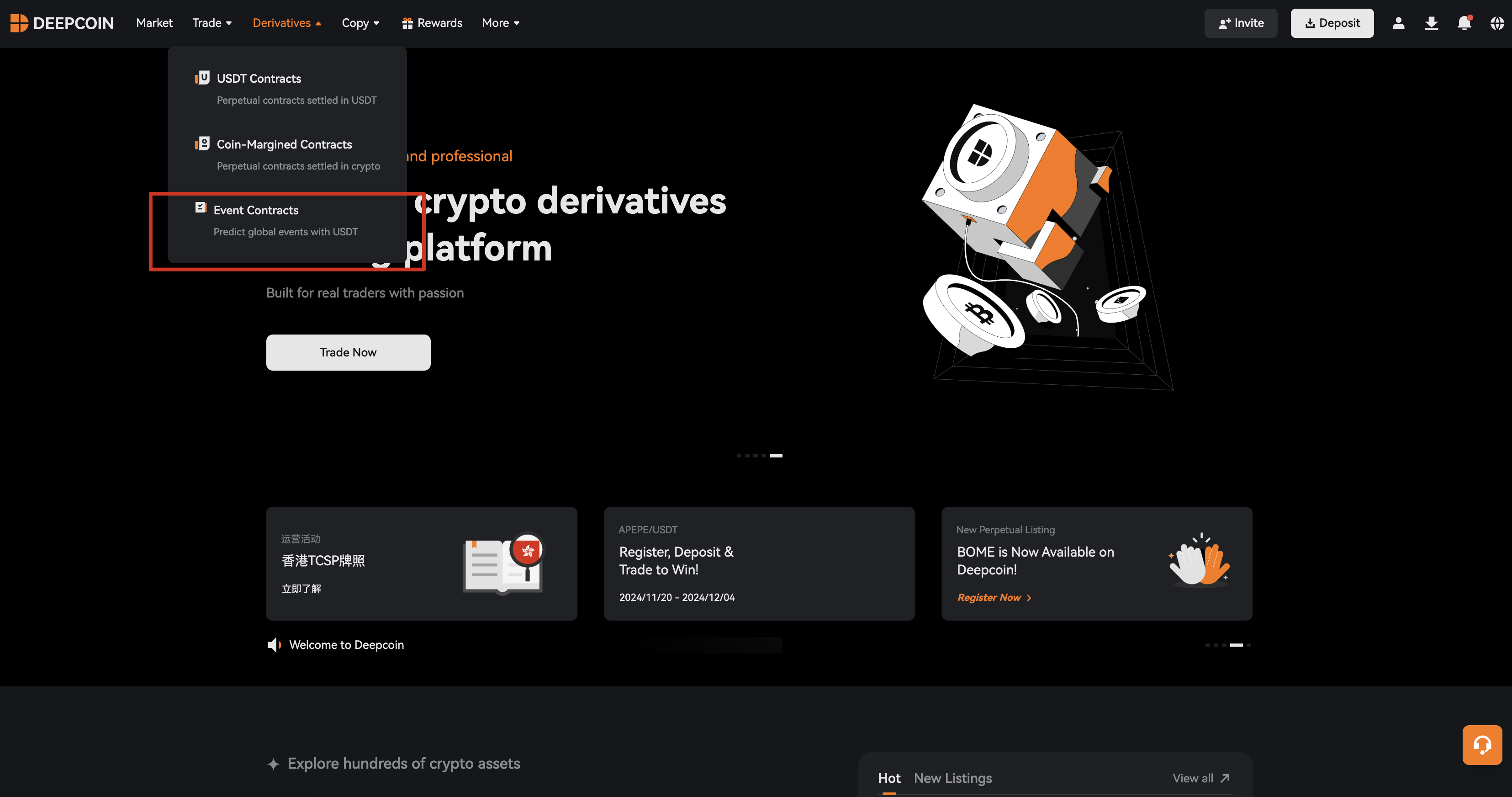
1. Enter the Event Contract Homepage
Go to the DC official website → Select Derivatives → Select Event Contract
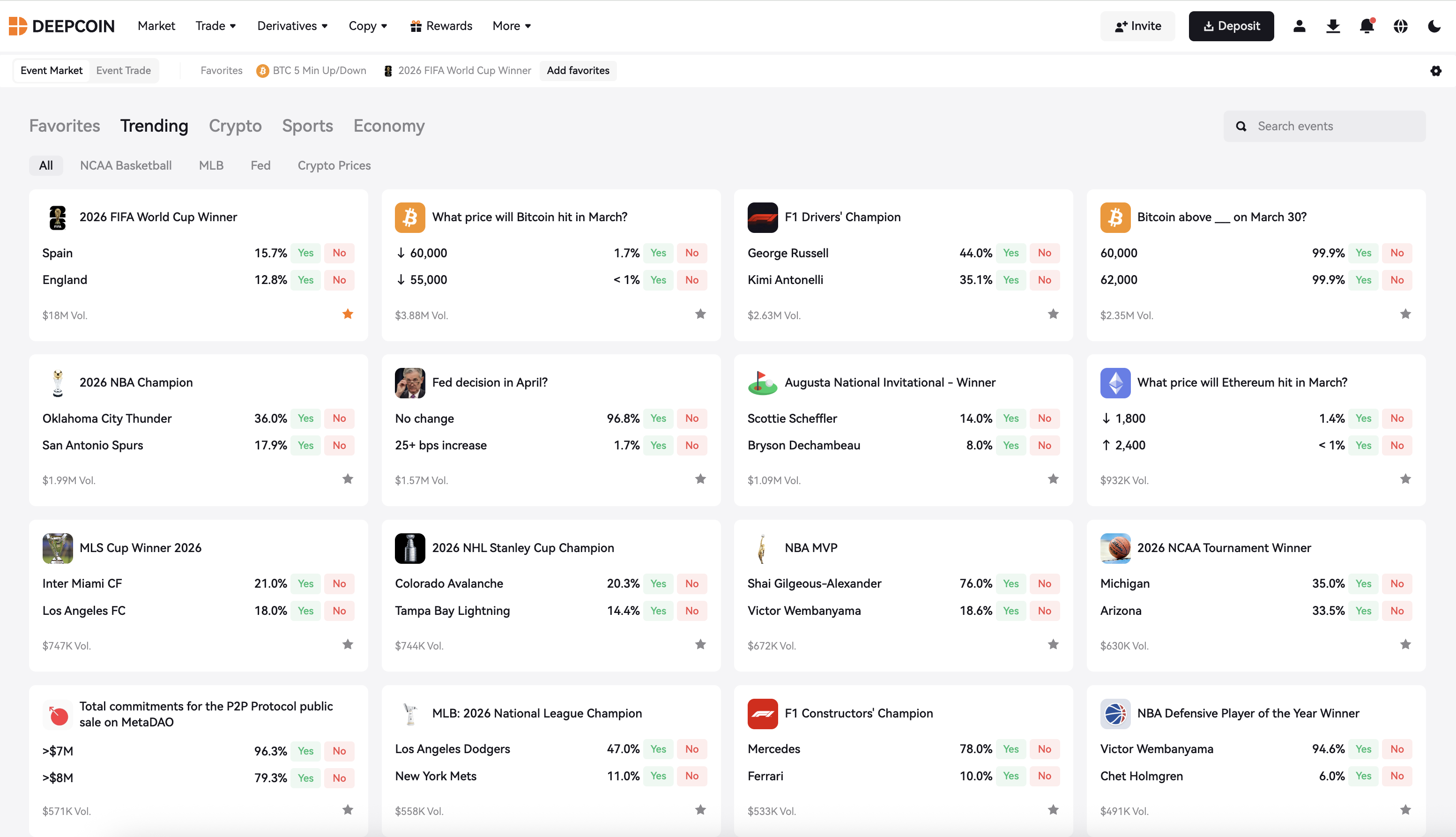
2. Select Event
Enter the event market to view events of interest and related outcome directions.
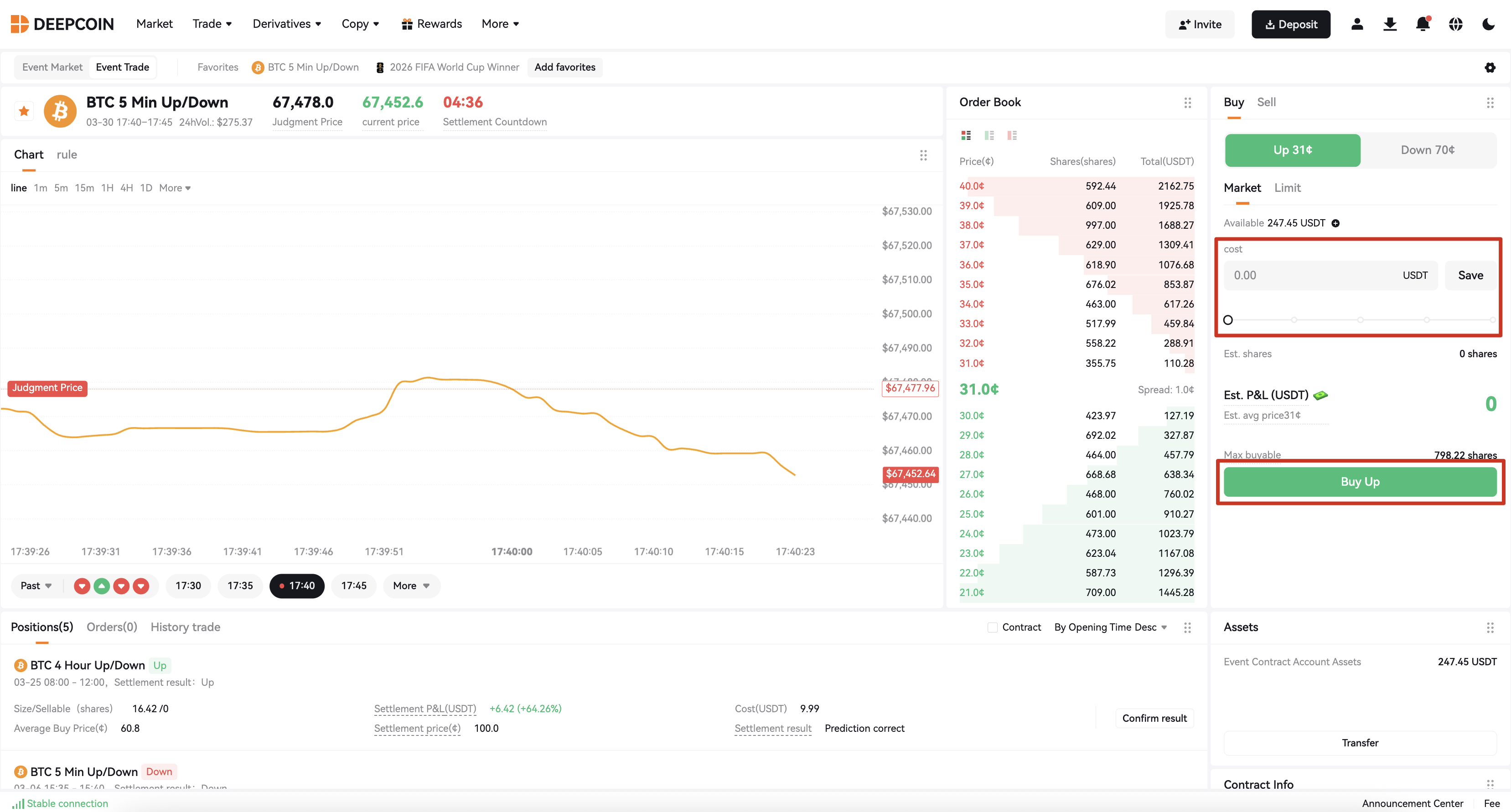
3. Buy Shares and Place Order
Buy the corresponding result shares at the current market price.
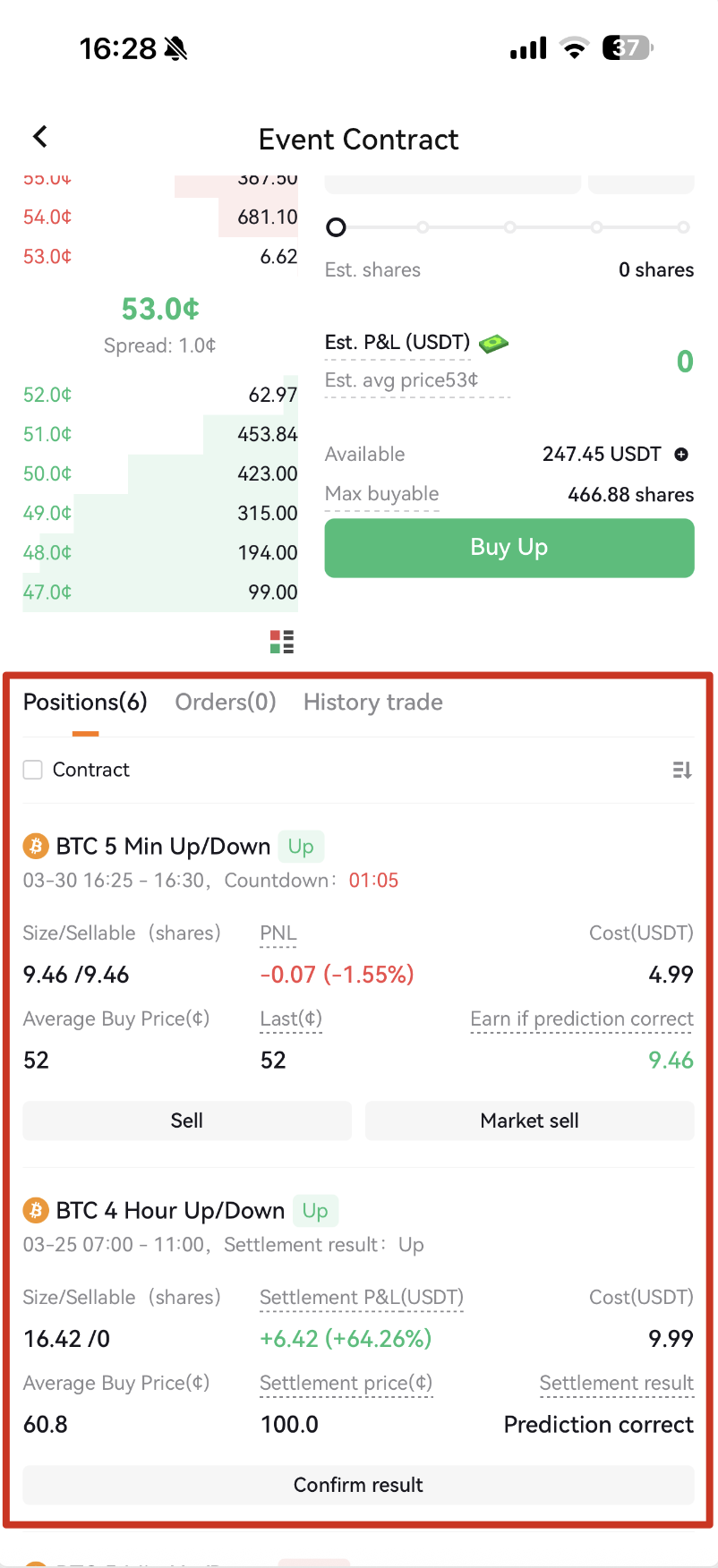
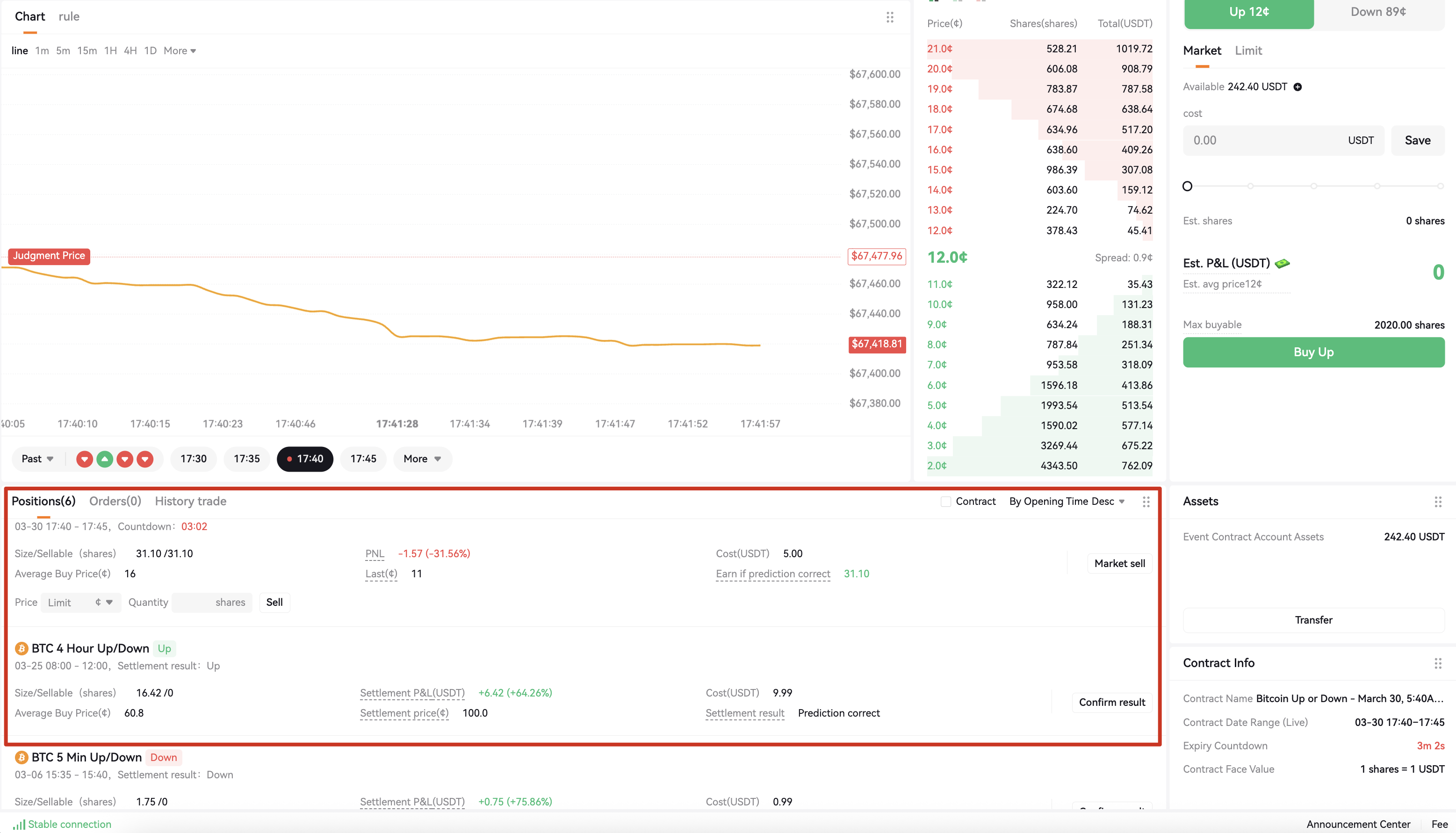
4. View Orders
Click on Positions to view orders. You can wait for the event to settle, or sell at the market price before settlement.
2. APP
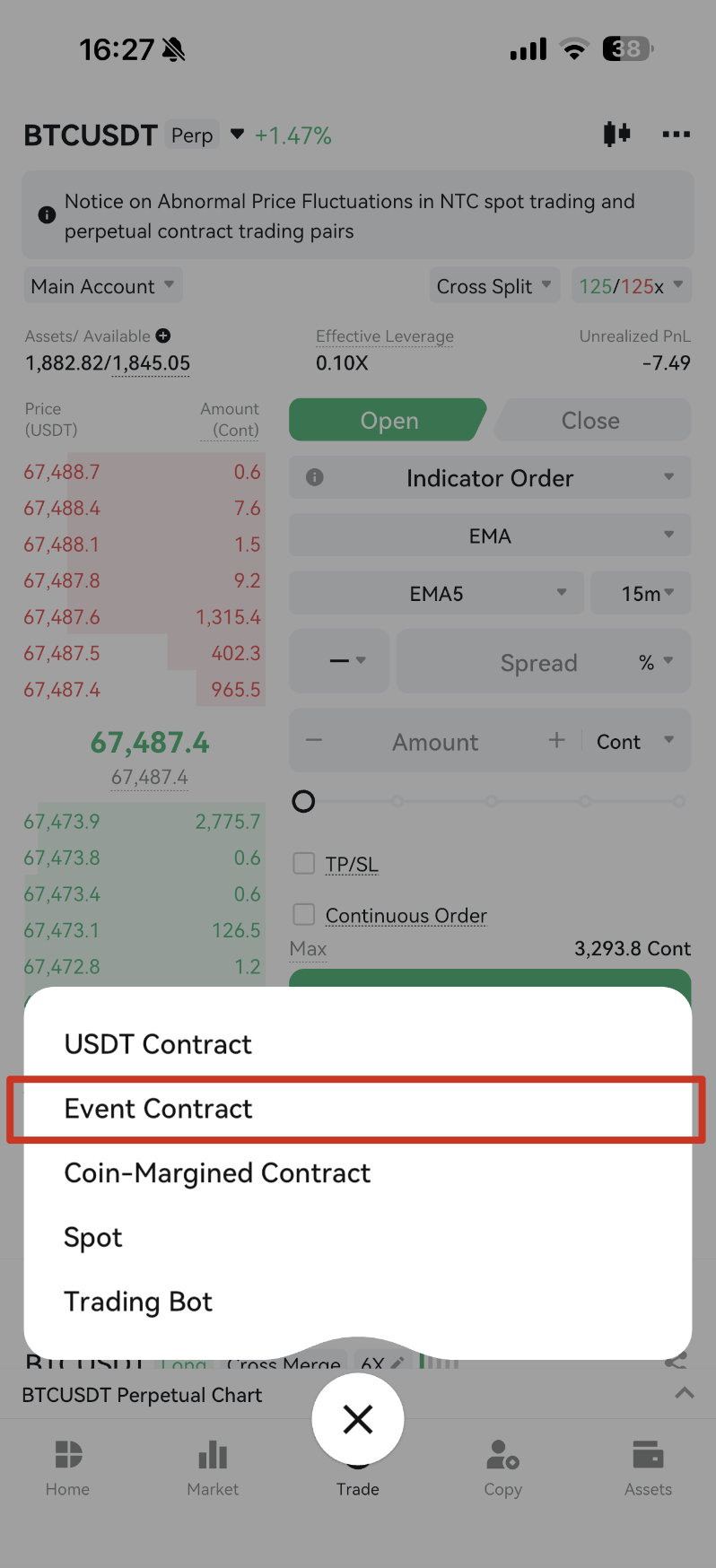
1. Enter the Event Contract Homepage
Go to the trading page → Click the trading icon → Select Event Contract
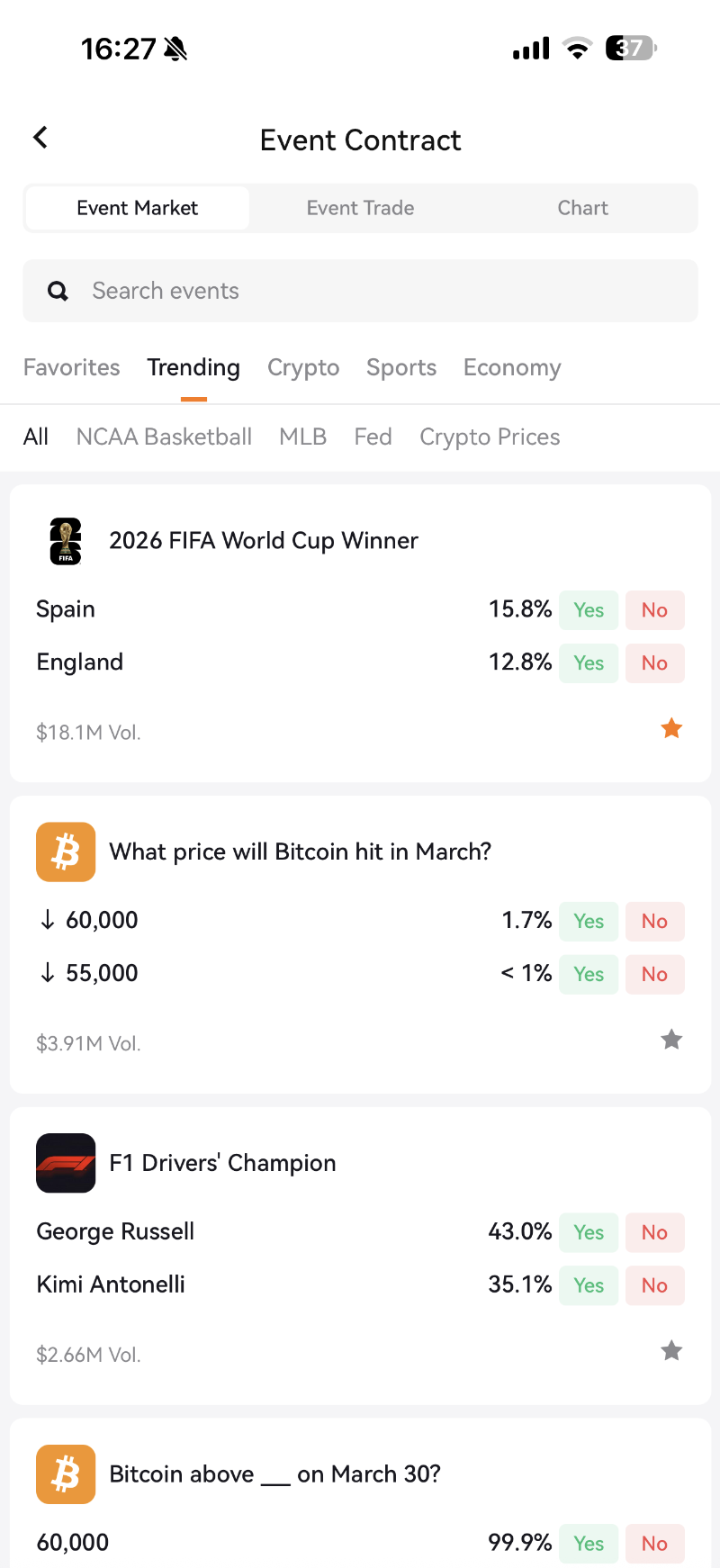
2. Select Event
Enter the event market to view events of interest and related outcome directions.
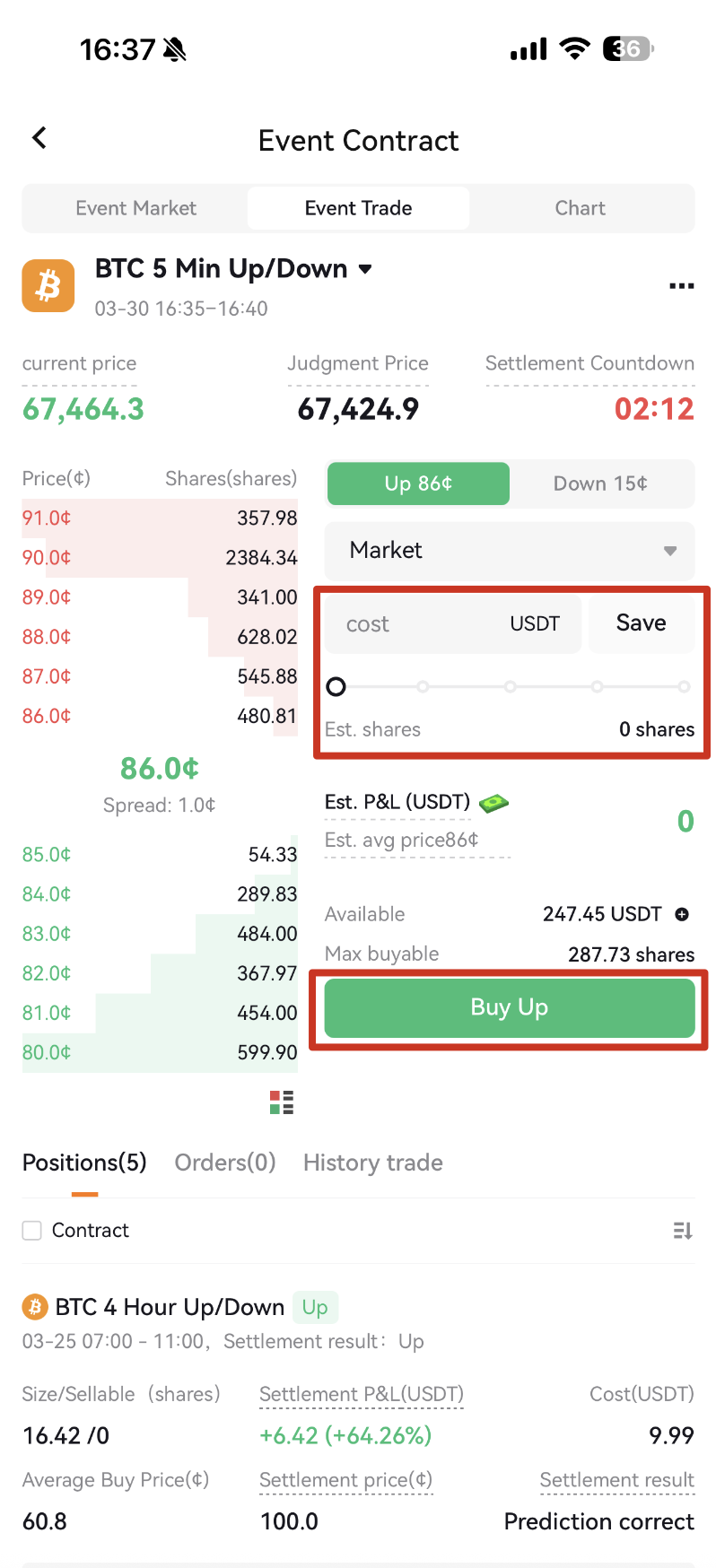
3. Buy Shares and Place Order
Buy the corresponding result shares at the current market price.
4. View Orders
Click on Positions to view orders. You can wait for the event to settle, or sell at the market price before settlement.